
Workspace Setup
Follow the exact workspace flow the app expects so you can get to a clean live verification test.
Workspace Flow
Open /custom-bots and save:
- Discord client ID
- Discord client secret
- bot token
- redirect URI
RestoreBase stores bot credentials in workspace storage and uses them to bring the gateway client online. If storage is temporarily unavailable, the app can still keep a fallback bot alive behind the scenes, but the normal path is the workspace bot record you create here.
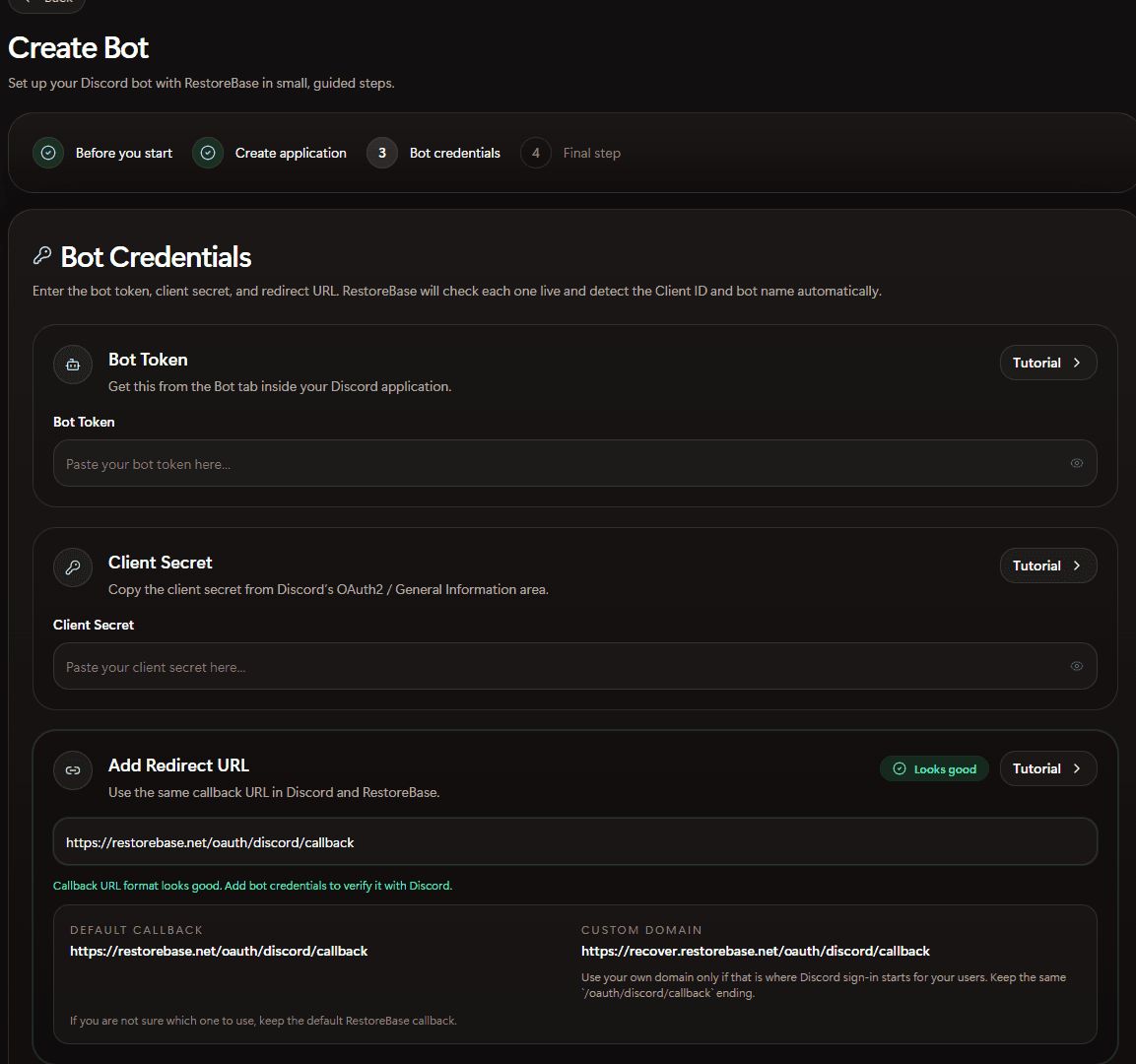
RestoreBase checks the redirect URL format on this screen and keeps the Client ID and bot name tied to the same bot lane.
Core Pages
/custom-bots
Save the Discord application identity, callback, and bot token.
/servers
Attach the exact Discord server that the selected bot can already see.
/verification
Choose the channel, role, copy, and policy controls for the member flow.
/members
Confirm the live test worked and the verified roster is now usable for operations.