
Module Setup
Anti-Nuke
Configure protection for destructive admin actions such as deletes, bans, webhooks, and dangerous role changes.
Open /modules/anti-nuke.
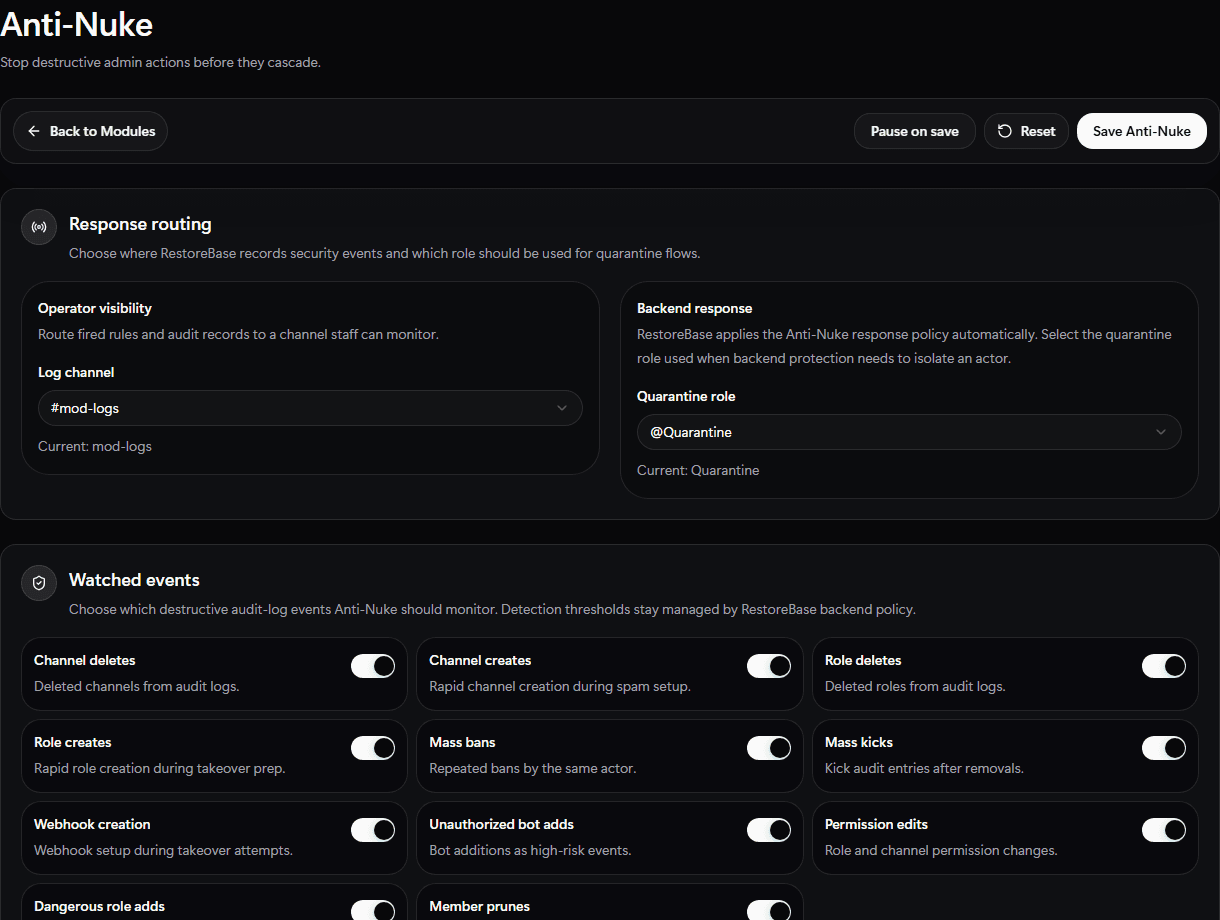
Use the Anti-Nuke setup screen to choose staff visibility, quarantine routing, and the destructive events RestoreBase should watch.
Set Up
- Choose a security log channel.
- Choose a quarantine role if you want RestoreBase to isolate risky actors.
- Add exempt owner, admin, or automation roles.
- Enable the destructive events you want monitored, such as channel deletes, role deletes, bans, kicks, webhook creates, bot adds, permission edits, prunes, and dangerous role changes.
- Choose the response action.
- Save and review the module state on
/modules.
Validate
Run only safe permission and role hierarchy checks first. Make sure the bot role is above the quarantine role and any role it may need to remove.