
Module Setup
AutoMod
Configure blocked words, regex, invite filtering, repeated messages, caps, and mention limits.
Open /modules/automod.
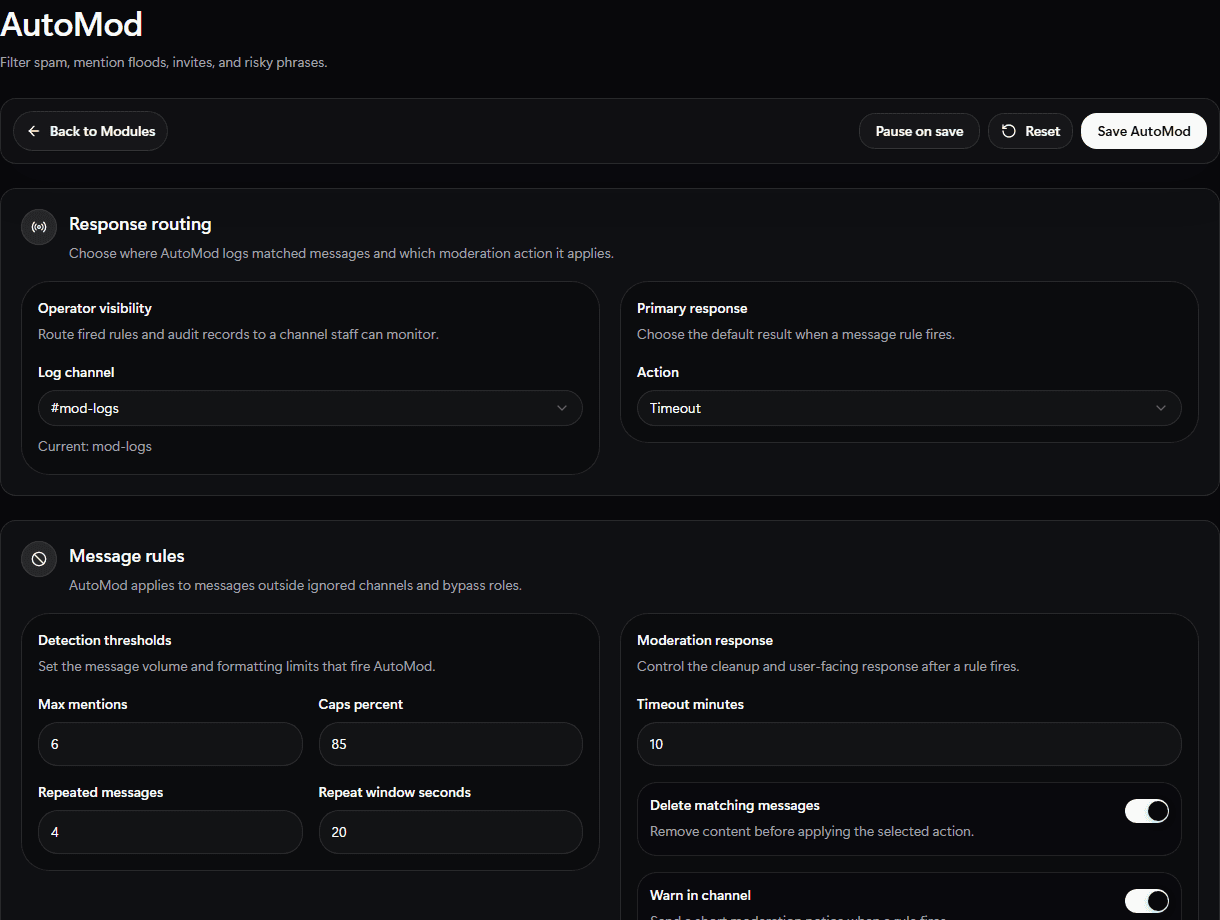
Use the AutoMod setup screen to pick log routing, response action, detection thresholds, and cleanup behavior.
Set Up
- Choose a moderation log channel.
- Add ignored channels and ignored roles.
- Choose whether RestoreBase should delete messages, warn users, or apply timeouts.
- Add blocked words or regex rules.
- Enable invite blocking if needed.
- Set caps, mention, and repeated-message limits.
- Save.
Validate
Test with a low-risk blocked phrase in a private staff channel before rolling rules into busy public channels.