Module Setup
Welcome And Goodbye
Configure automatic join and leave messages for selected Discord channels.
Open /modules/welcome.
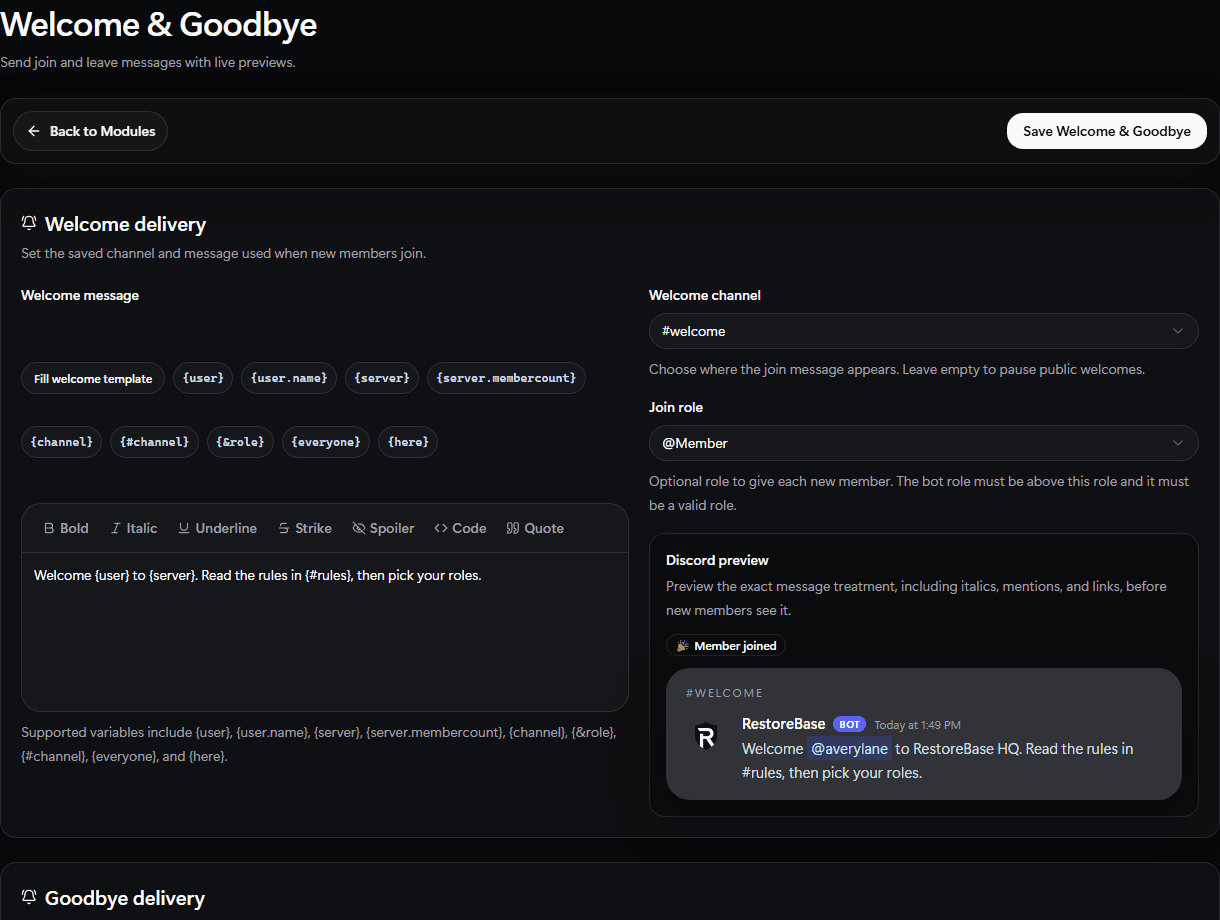
Use the Welcome & Goodbye setup screen to choose delivery channels, assign an optional join role, and preview member-facing copy.
Set Up
- Choose the welcome channel.
- Write the welcome message.
- Choose the goodbye channel if you want leave messages.
- Write the goodbye message.
- Enable the module.
- Use the preview or test action before launch.
Validate
Use a test member or preview action and confirm variables such as {user} and {server} render correctly.