Module Setup
Anti-Raid
Configure join velocity, account age, suspicious username checks, and raid response actions.
Open /modules/anti-raid.
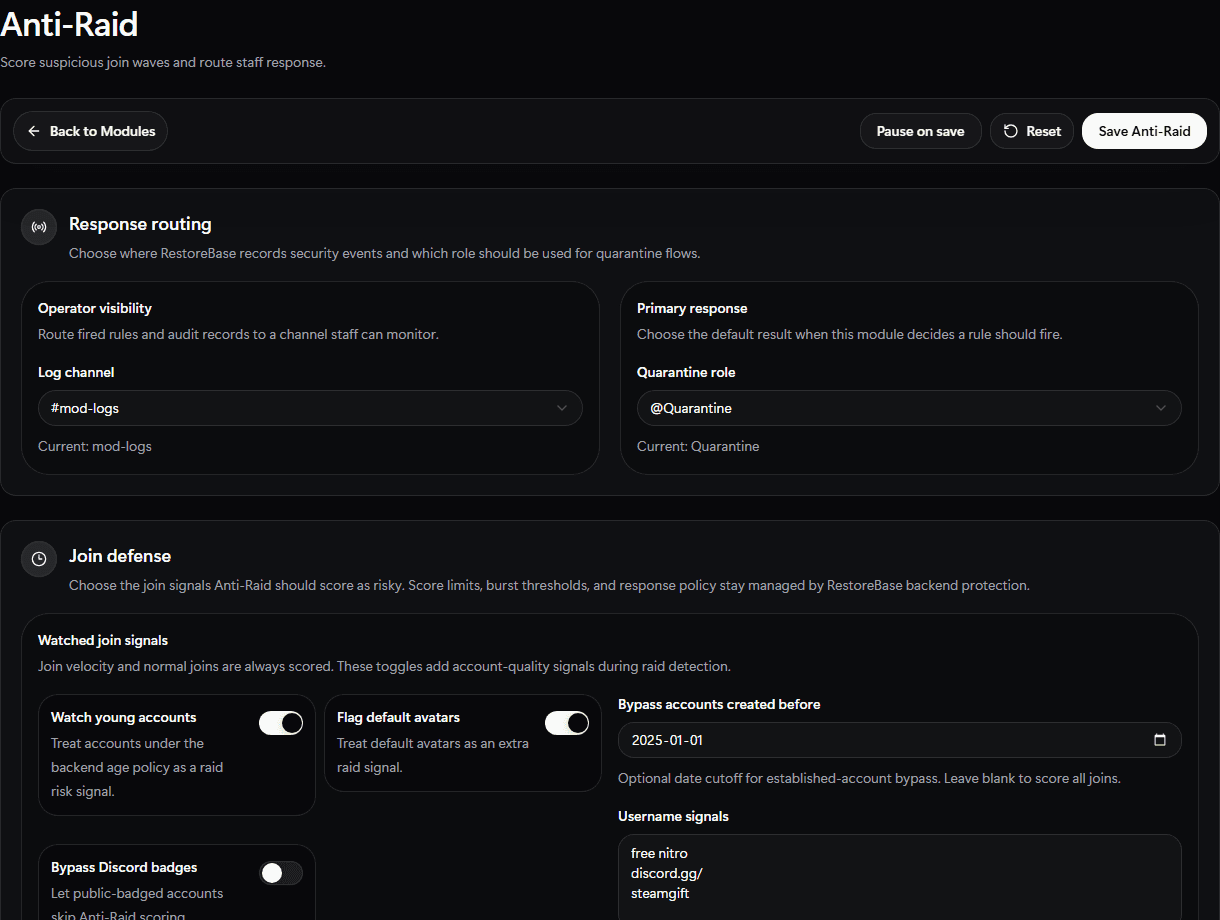
Use the Anti-Raid setup screen to route raid logs, pick the quarantine role, and tune join-quality signals.
Set Up
- Choose a raid log channel.
- Choose a quarantine role if quarantine is part of your response.
- Set join velocity limits.
- Set minimum account age rules.
- Enable optional signals such as default-avatar checks or suspicious username patterns.
- Choose the response action, such as log, quarantine, timeout, kick, or ban.
- Save and watch the module status.
Validate
Start with conservative thresholds so normal launch traffic does not trigger a raid response.