
Module Setup
Tickets
Configure ticket panels, support categories, staff roles, transcripts, intake questions, and close behavior.
Open /modules/tickets.
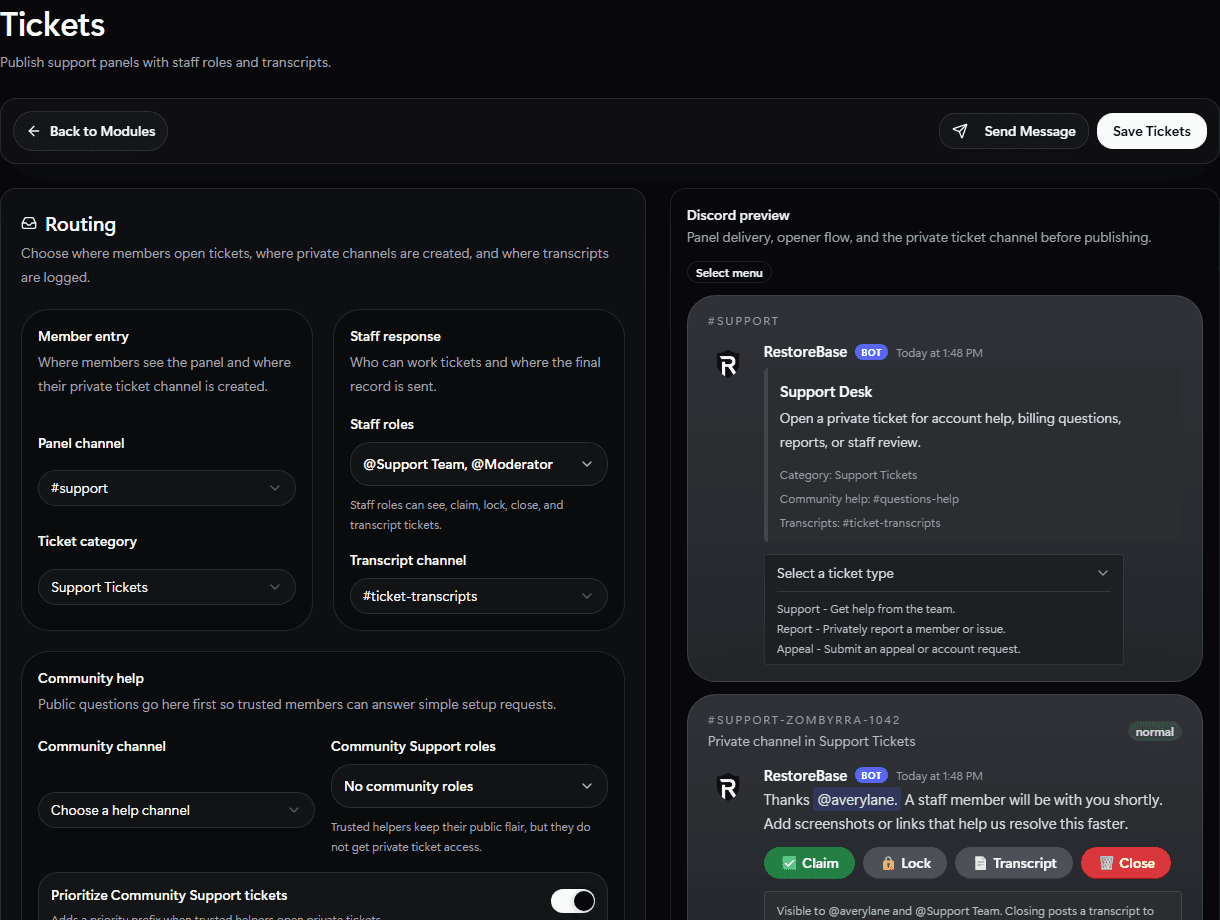
Use the Tickets setup screen to configure panel routing, staff roles, transcripts, intake questions, and the Discord preview before publishing.
Set Up
- Choose the panel channel.
- Choose the support category where private ticket channels should be created.
- Choose the transcript channel.
- Add staff roles.
- Write the panel title, panel description, button label, and ticket welcome message.
- Choose button or select-menu open mode.
- Add ticket options and intake questions.
- Set close confirmation, transcript DM, auto-close, priority, and max-open limits.
- Publish or preview the panel.
Validate
Open one test ticket, claim or reply as staff, close it, and confirm the transcript goes where expected.