
Module Setup
Reaction Roles
Configure self-serve roles, joinable ranks, persistent roles, and temporary roles.
Open /modules/roles.
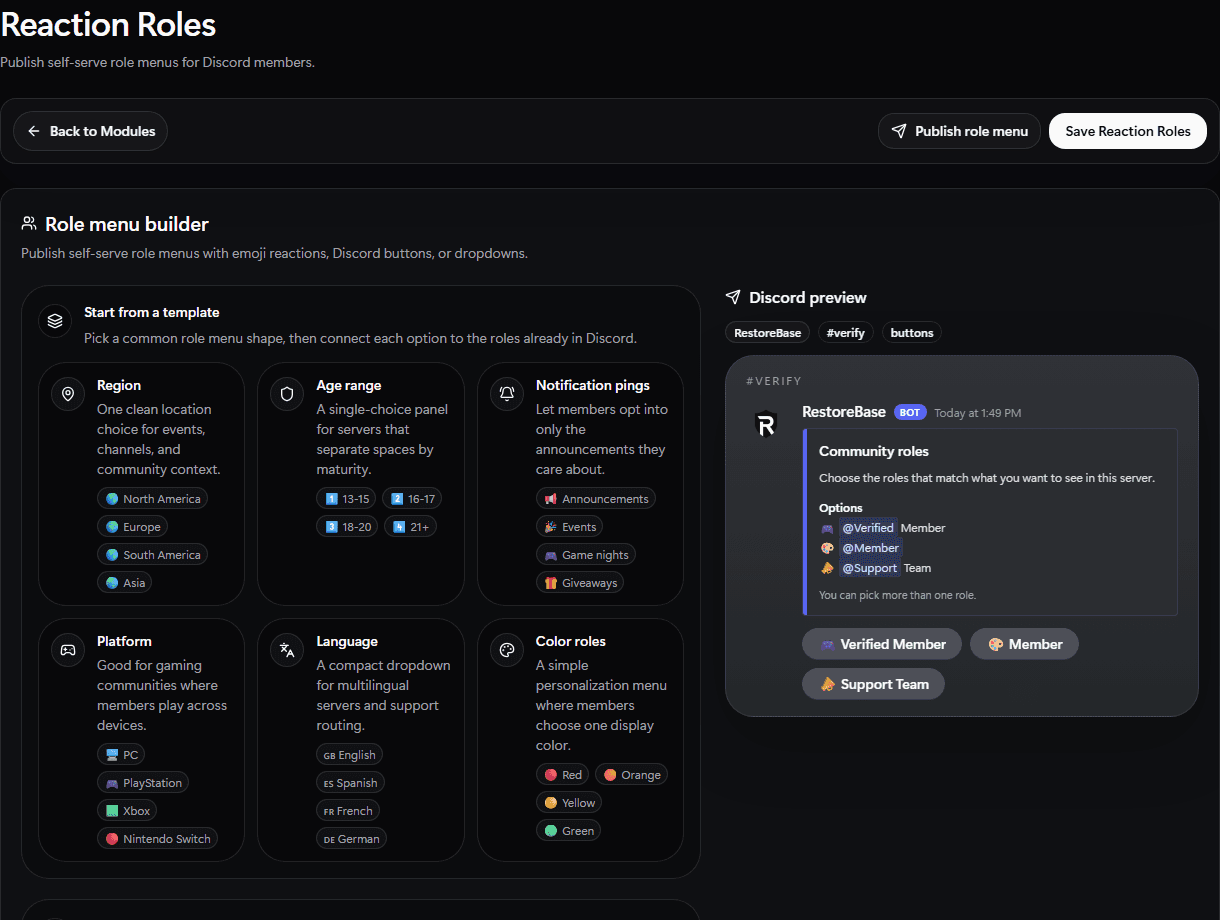
Use the Reaction Roles setup screen to start from templates, choose the post channel, map role options, and preview the panel.
Set Up
- Confirm the bot role is above every role it needs to assign.
- Create or choose joinable ranks.
- Configure self-serve role options.
- Enable persistent roles or temporary roles if your server needs them.
- Save.
- Test with a non-admin account.
Validate
The test account should be able to add and remove only the roles you intended.