Module Setup
Link Shield
Configure blocked domains, allowed domains, invite blocking, URL shortener checks, punycode, and lookalike protection.
Open /modules/link-shield.
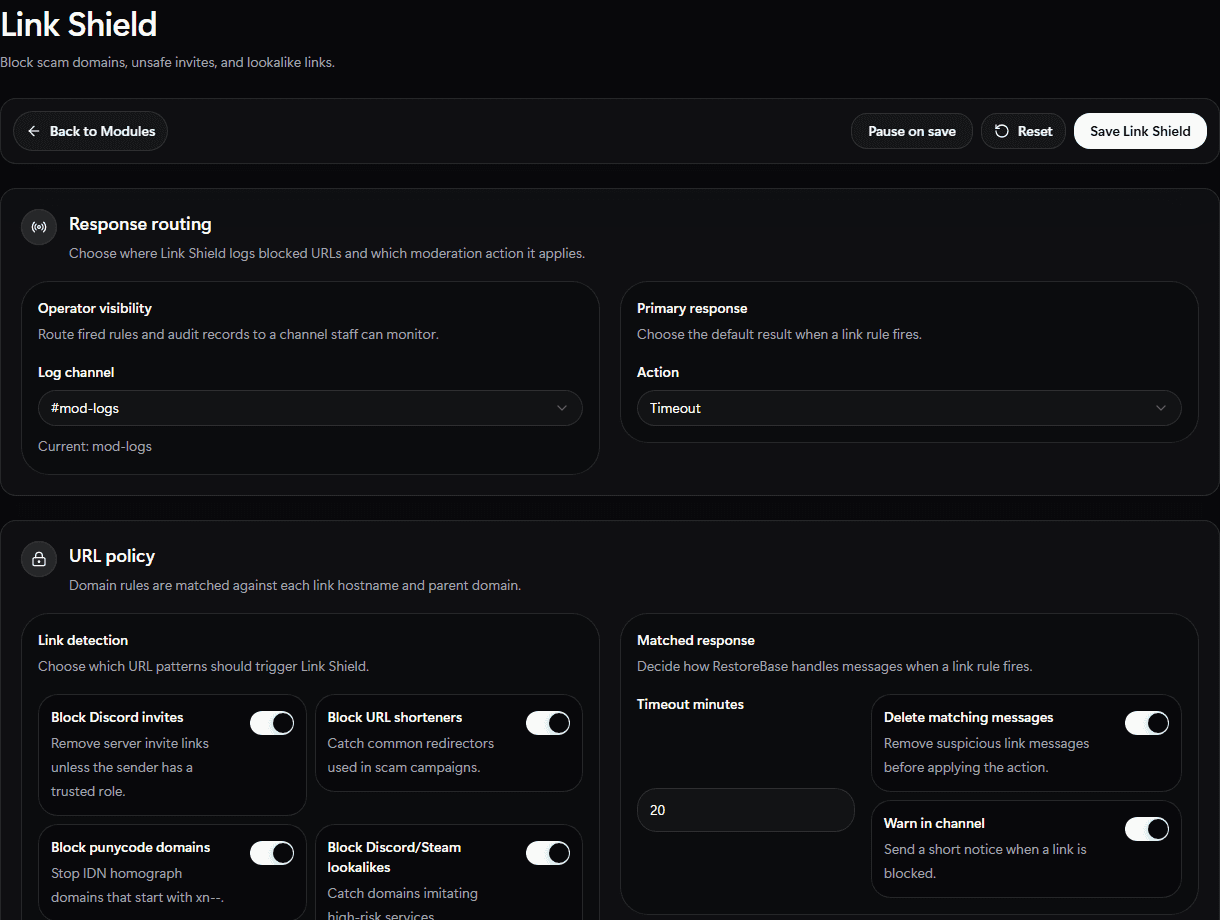
Use the Link Shield setup screen to pick log routing, response action, trusted roles, and domain rules.
Set Up
- Choose a link-shield log channel.
- Add ignored channels and trusted roles.
- Add blocked domains and allowed domains.
- Add scam keywords your community sees often.
- Enable Discord invite, URL shortener, punycode, and lookalike-domain checks as needed.
- Choose delete, warn, timeout, kick, or ban behavior.
- Save.
Validate
Test with a known safe blocked-domain example and confirm the log message lands in the right channel.